


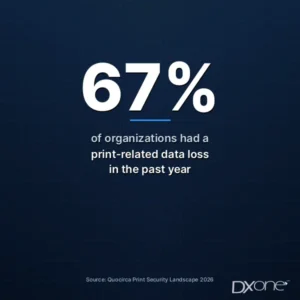
Two-thirds of organizations had a print-related data loss in the past year. Most of them still do not treat the printer as a top security risk. That gap is what shows up in a dealer meeting.
Quocirca’s Print Security Landscape 2026 surveyed 400 IT decision-makers in the UK, France, Germany, and the US. 67% reported at least one print-related data loss in the past year, up from 56% in 2025. 43% reported more than one. Average cost was about £1 million per incident, up from about £820,000. At the same time, 80% still rely on print to run the business, and only 31% rank office print infrastructure as a top security risk. Coverage of the same study is available from ComputerWeekly. The Xerox-hosted excerpt of the report is also available.

The customer is not asking the dealer to become their security team. They are asking whether the box on the floor is a computer, what it still holds, and who is responsible when it leaves the building. These are the questions that come up, and the answers that hold up in the room.
Is the Office Printer a Security Risk?
Yes. Treat it as a networked computer that stores documents, credentials, and address books, not as a peripheral.
NIST IR 8023, Risk Management for Replication Devices, covers copiers, printers, scanners, and multifunction devices because they process, store, and transmit information. Guidance used by federal and state IT groups makes the same point in plainer language: an MFD can hold images of jobs it has processed, and it sits on the network.
Walk into the meeting with a one-page inventory of the customer’s devices: serial, model, firmware date, and whether the unit is on a contract. If that list lives in a spreadsheet next to the contract file, say so. The customer’s IT team will ask who owns the record.
What Is Still on the Hard Drive?
More than the last job. Modern multifunction devices can retain document images, scan destinations, and the accounts used for scan-to-email or scan-to-folder.
NIST’s point is operational: information that was processed, stored, or transmitted by the device can remain in nonvolatile memory. That is why a returned copier is not an empty box. Forensic recovery from used machines is an old finding; the practice has not gone away.
Bring the manufacturer’s description of what that model stores, and whether encryption and overwrite are on. Do not promise that “the machine clears itself.”
What Does “Wipe” Mean Before We Return or Resell the Machine?
A wipe is a documented sanitization, not a factory reset and a handshake.
NIST SP 800-88 is the media-sanitization standard most IT groups will recognize. “Purge” means the data cannot be recovered by ordinary means. A certificate or service ticket that names the serial, the method, and the date is what the customer’s security team will file. A verbal “we wiped it” is not.
Know the wipe process for that OEM, and bring a sample of the record you leave with the customer. Tie the serial to the contract so the returned unit is the unit that was billed. Serial and contract hygiene is the same problem covered in What to Evaluate Before Replacing Legacy Office Equipment ERP.
How Current Is the Firmware?
Often, it is not. And the customer’s IT team already suspects that.
Reporting on HP’s 2025 print-estate research found that only 36% of IT and security decision-makers apply firmware updates promptly, and 51% cannot confirm whether a printer has been tampered with.
Firmware is not a one-time setting. In June 2025, Rapid7 disclosed eight vulnerabilities across 748 printer models from five vendors: Brother, Fujifilm Business Innovation, Konica Minolta, Ricoh, and Toshiba Tec. The point for the dealer is not the exploit. The point is that a fleet without a firmware date is a fleet you cannot defend in the meeting.
Have the last firmware date per model ready, and know who is responsible for applying the next one: the customer’s IT, the OEM portal, or the dealer’s service process.
Why Is a Mixed Fleet Harder to Keep Secure?
Because each vendor patches on a different calendar, and the gaps are where incidents cluster.
Quocirca found 64% of respondents running a multivendor fleet, up from 59% in 2025. Data loss was slightly more common in mixed fleets (69% vs. 64% on standardized fleets), and 45% of mixed-fleet respondents reported two or more incidents, versus 37% on a single-vendor floor (Xerox-hosted Quocirca excerpt).
Acquired books make this worse. The other shop’s floor arrives with its own models, its own firmware lag, and its own drive state. That is the Day-90 problem in What Breaks When Office Technology Dealers Acquire Each Other.
Count models by vendor, not logos. If five brands are on one floor, say so before the customer’s security team finds it.
Why Are Confidential Jobs Sitting in the Tray?
Because release is not required. Secure pull printing holds the job until the user authenticates (badge, PIN, or another credential) at the device.
Quocirca reports secure pull printing is now used by 51% of organizations, and it is the most common control. It is also led by larger firms. Mid-market and smaller sites are more often leaving jobs in the tray (Xerox-hosted Quocirca excerpt).
Know whether pull printing is on for that account, which identity method it uses, and which sites are still open-release. Do not sell it as a product demo. Show the setting.
What About Home and Hybrid Printers?
Consumer printers on a company laptop or home Wi-Fi are a different risk from the office MFD. Banning them rarely works; replacing them with a managed, networked device usually does.
We already covered that tradeoff in Network Printers Can Be Secured Even in a Hybrid Workspace. Point the customer there for the home-device argument. Keep this conversation on the devices you service and the records you can show.
Draw a clear line between devices on the contract and devices that are not. If a home unit is not in the asset file, do not pretend you can attest to its firmware.
Who Owns the Answer When the Device Leaves the Building?
The customer owns the risk. The dealer owns the record.
The customer’s security program decides encryption, identity, and network policy. The dealer should be able to show the serial, the contract, the last service, the firmware date, and the wipe certificate. Those are operational facts. They are not a substitute for the customer’s own controls.
Security settings that live in a second tool, or in a spreadsheet nobody audits, are the same pattern as ERP Integration Debt and the Hidden Cost of Workarounds. If the device record is not in the system that already runs service and billing, the answer goes stale.
A Checklist to Leave Behind
One page is enough.
| Item | What the customer should see |
|---|---|
| Serial and model | Matches the contract and the invoice |
| Firmware date | Last applied, and who applies the next |
| Encryption / overwrite | On or off, per the OEM’s setting |
| Pull printing | On or off; method (badge, PIN, other) |
| Wipe record | Serial, method, date, not a verbal confirmation |
| Home devices | Explicitly in or out of scope |
| Owner of the record | Named person or system, not “we’ll get that to you” |
If any row is blank, the meeting is not ready.
What This Is Not
This is not a claim that a dealer ERP, a device-data feed, or an OEM badge replaces the customer’s security program. Those tools can hold the serial, the contract, and the last service so the answer is not a spreadsheet. They do not set the customer’s network policy, and they do not certify a wipe the dealer did not perform.
Dealers who can answer with a wipe record, a firmware date, and a pull-print policy will keep the conversation. Dealers who answer with a logo will lose it to the customer’s IT group. Start with the questions. Leave the checklist. Then keep the device record (serial, contract, and last service) in the system that already runs the account, so the answer is still true next quarter.
FAQ
Is an Office Printer Really a Security Risk?
Yes. Quocirca’s 2026 study found 67% of organizations had a print-related data loss in the past year. The device stores jobs, credentials, and address books, and it sits on the network.
What Should We Do Before a Copier Is Returned or Resold?
Sanitize the media to a recognized standard such as NIST SP 800-88, and leave a record that names the serial, the method, and the date. A factory reset without a certificate is not enough.
Does Secure Pull Printing Matter for Mid-Market Customers?
Yes. It is the most common control in Quocirca’s set, used by 51% of organizations per the Xerox-hosted Quocirca excerpt, and it is still led by larger firms. Mid-market sites are more often leaving jobs in the tray.
Who Is Responsible for Printer Security, the Dealer or the Customer?
The customer owns the risk and the policy. The dealer owns the operational record: serial, contract, firmware date, and wipe certificate. Those facts support the customer’s program. They do not replace it.
Do Mixed Fleets Have More Incidents?
Quocirca’s 2026 excerpt found data loss slightly higher on multivendor floors (69% vs. 64%), and multiple incidents more common (45% vs. 37%). The operational reason is different patch calendars, not the brand names.